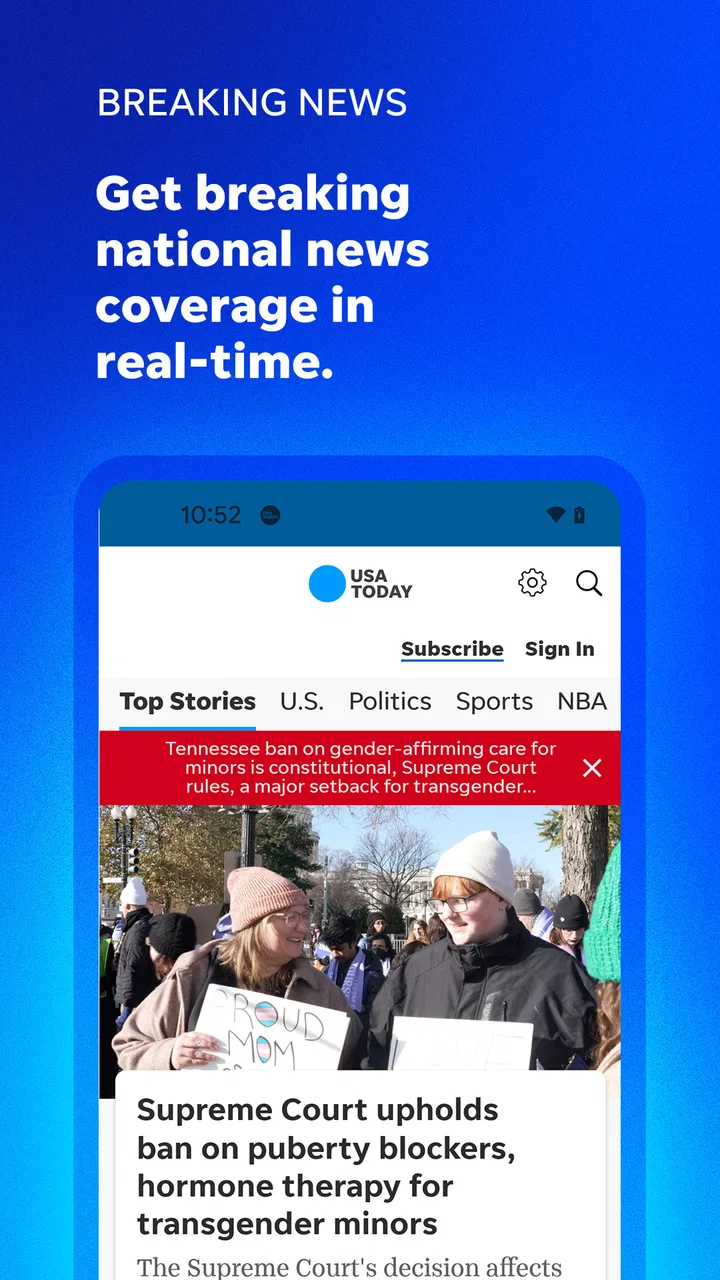
USA TODAY: US & Breaking News
- 4.2
- Rating
- 5.00M
- Installs
- Free
- Price

 Analysis by App-foxy
Before choosing a news app, I ask myself what I need it to do: give me a quick overview, help me follow developing stories, or provide deep reporting on one subject. USA TODAY: US & Breaking News makes the most sense for the first two. I use it as a practical news companion rather than a complete replacement for every source I read. Its main strength is convenience: it brings national headlines, breaking developments, world coverage, and local news into one familiar place. When I want a quick sense of what is happening without opening several separate publications, it gives me a useful starting point.
That convenience also explains why the app has reached more than five million installs and holds a 4.2 average from around fifty-eight thousand ratings. Those numbers do not make every story perfect for every reader, but they do suggest that the app has become a regular part of many people’s daily news routines. I would recommend it most to readers who want broad coverage in a straightforward mobile format, especially those who like checking headlines several times a day.
What the USA TODAY app does well in daily use
The first thing I noticed is how naturally the app fits short reading sessions. I can open it in the morning, scan the major developments, and leave with a general picture of the day without committing to a long article immediately. Later, I can return when a breaking story changes or when I have time to read more carefully. That makes it suitable for the small gaps in a normal day: breakfast, a commute, a lunch break, or the few minutes before bed.
You May Also Like

 Blood Strike: 2.5 Anniversary
Blood Strike’s Loadouts Turn Every Drop Into a Tactical Gamble
A close look at Blood Strike’s custom loadouts: how fast access to signature weapons reshapes its battle royale rhythm, rewards preparation, and narrows the gap between fights.

 Pandora - Music & Podcasts
Pandora’s Music Is Easy to Start, but Harder to Recover
Pandora’s strength is its low-effort path from a seed to a station. Its weak spot is how much confidence it asks you to place in connection, setup, and quiet recovery.

 8 Ball Pool
 Is Built on Rivalries, Rematches, and Routine
A close look at the rivalries, rematches, shared routines, and unanswered safety questions that turn a quick pool match into a persistent mobile community.

 Samsung Music
’s Quiet Strength Is Playing What You Already Own
Its reach comes less from spectacle than from dependable access to a personal library. That simplicity is both the app’s strongest retention engine and its ceiling.

 AccuWeather: Weather Radar
AccuWeather Review: A Quick, Clear Forecast for Everyday Decisions
For everyday plans, the best forecast is the one you can understand quickly. AccuWeather makes rain timing, radar, and local conditions easy to act on, with a few trade-offs.

 Hill Climb Racing
Why Hill Climb Racing Still Turns Crashes Into One More Run
A tiny car, a bumpy hill and one more upgrade: Hill Climb Racing keeps resurfacing because its simple chaos makes every near-miss feel personal.
More From Our News Desk



Its coverage is broad enough to move between different kinds of news without feeling as though I have switched to a completely different product. National stories sit alongside world events and local reporting, so the experience is more varied than an app focused only on one city or one subject. I found that useful when I wanted to follow a major story while still checking what might matter closer to home.
The app comes from USA TODAY, a developer and publisher with a recognizable news identity. That matters because the experience is built around general-interest journalism rather than a narrow specialist audience. I would not open it expecting a deep technical publication, a dedicated financial terminal, or a highly focused political research tool. I would open it when I wanted an accessible overview of the news landscape.
The strongest reason to keep it installed is the combination of breadth and speed. A focused news app can be excellent for one subject, but it may leave gaps elsewhere. A social feed can expose me to developing stories quickly, but it can also mix reporting with commentary, repetition, and noise. This app occupies a useful middle ground: it is more organized than a social timeline and broader than a single-topic publication.
A useful workflow for busy readers
My preferred way to use it is in two passes. On the first pass, I look only at the headlines and the subjects that appear most relevant. I do not try to read everything. On the second pass, I open the stories that deserve attention and ignore the rest. This sounds simple, but it prevents a common problem with news apps: spending too much time consuming updates that do not actually help me understand anything important.
That workflow is especially helpful during a fast-moving event. I can check the app for the broad outline first, then revisit the same subject later instead of repeatedly searching from scratch. The trade-off is that a headline-led routine can encourage shallow reading if I never slow down. I have to make a deliberate choice to open the full article when the topic affects a decision, a trip, work, or a conversation that matters.
Another practical use is separating discovery from verification. I can use the app to notice that a story is developing, then compare important claims with another trusted source before acting on them. That is not a criticism unique to this application; it is a sensible habit with any general news feed. The app is good at helping me notice what deserves attention, but I would not treat a quick headline scan as the final word on a complicated issue.
Where it compares well with common alternatives
Compared with reading news through a mobile browser, the dedicated app feels more direct. I do not need to search repeatedly for the latest USA TODAY coverage or sort through unrelated pages. The app is also more focused than a general news aggregator, where different publishers may present the same event with very different levels of context and editorial style.
Compared with social media, the advantage is structure. Social platforms can be faster at surfacing eyewitness discussion or unexpected angles, but they can also make it difficult to distinguish a confirmed report from speculation. I prefer this app when I want a calmer starting point and a recognizable publication behind the stories I am browsing.
On the other hand, a specialist publication may be better when I need depth. A dedicated business, sports, technology, or local-news service can offer more detail in its own area. USA TODAY’s broad approach is useful precisely because it does not demand that I choose one subject, but that same breadth means it may not satisfy readers who want expert-level coverage of a single field.
It also differs from a personalized aggregator in an important way. An aggregator may let me combine many outlets and tune the mix heavily around my interests. This app is a stronger choice for someone who wants the USA TODAY perspective in one place, but a weaker choice for someone who wants maximum control over which publishers appear in the feed.
The friction I noticed before recommending it
The biggest limitation is not a lack of coverage; it is the tension between quick access and sustained attention. A broad stream of headlines can make the day feel busier than it really is. I sometimes open the app intending to read one story and end up scanning several unrelated updates. For readers who already feel overwhelmed by constant news, this may become another source of interruption rather than a helpful tool.
The free price makes trying it easy, but the app includes in-app purchases ranging from $4.99 to $129.99 per item. That is worth remembering before treating the free download as the complete long-term experience. I would check the purchase details carefully and decide whether the available free reading is enough for my habits before committing to anything. The app is not automatically a good value for someone who reads only a few headlines each week.
There is also a difference between wanting a quick summary and wanting a full research archive. I found the app better suited to staying current than to building a carefully documented dossier on a subject. If I were researching a complex issue over several weeks, I would want additional sources, saved references, and more specialized tools alongside it. This application can support that process, but I would not make it the only tool.
Readers should also consider the age label. It is rated for Everyone 10+, which makes it broadly accessible for families, but news itself can include serious, upsetting, or difficult subjects. I would not hand a younger child the phone and assume every headline is appropriate without supervision. The rating is useful context, not a guarantee that the daily news will always feel light or comfortable.
Who will get the most from it
I think the app is a strong fit for people who want a general news habit without assembling several separate apps. It suits commuters, students, parents, and professionals who need a quick overview before deciding which stories deserve deeper attention. It is also useful for readers who care about both national events and local developments but do not want to manage a complicated collection of publications.
It can be particularly helpful for someone returning to regular news reading after relying mostly on occasional browser searches. The broad mix gives that reader an easy way to rebuild context. My advice would be to begin with short check-ins rather than leaving notifications or headline browsing to dominate the day. The goal should be awareness, not constant consumption.
A realistic routine might be to check the app over breakfast, note one developing national story and one local item, then close it until a natural break later. If the national story affects a work decision or a family plan, I would read beyond the headline and check another source before making a choice. If the local item concerns a nearby road closure or public meeting, I would use the app to discover it and then seek the precise details from the relevant local source. That approach takes advantage of the app’s breadth without asking it to answer every practical question.
I would be more cautious recommending it to readers who want a strictly customized feed, a single specialist subject, or an ad-free and highly controlled reading environment. Someone who follows markets minute by minute, studies public policy in depth, or wants only neighborhood reporting may find a dedicated alternative more efficient. Likewise, readers who dislike the possibility of paid in-app options should review the purchase screen before settling into the service.
For local news, the value will depend on whether the coverage matches the places and subjects I care about. The presence of local reporting is a meaningful advantage over a purely national app, but broad coverage is not the same as complete neighborhood coverage. I would use it as one convenient local check, then rely on a more specialized community source when a story directly affects my street, school district, or local government.
Compatibility and everyday practicality
The current version is 8.5.2, and the app works on Android 8.0 and later. That makes it accessible on a wide range of Android phones, including devices that are not among the newest models. I appreciate that because a news app should not require a recent flagship phone simply to perform its basic job.
Since it is free to download, the sensible approach is to install it and test it against a real routine rather than judging it from a single opening. I would check whether the headline mix matches my interests, whether the local coverage is useful in my area, and whether the reading experience encourages me to understand stories instead of merely tapping through them. Those three checks tell me more than a quick first impression.
The app’s scale is reassuring for readers who prefer an established news destination: it has around fifteen thousand written reviews in addition to its broader rating activity. I still would not treat popularity as proof that it fits my needs. News preferences are personal, and the right choice depends on how much breadth, local relevance, and editorial consistency I want each day.
One useful test is to notice what happens after the first week, not just whether the app looks appealing on the first day. If I open it with a clear purpose and leave with a better grasp of a story, it is earning a place in my routine. If I find myself checking headlines reflexively but remembering little, I would shorten my visits or remove it from the most tempting spot on my phone. A news source is more useful when it supports attention rather than quietly taking it over.
My final recommendation
After using it as a general news reader, I see USA TODAY: US & Breaking News as a dependable first stop for staying informed across national, world, breaking, and local topics. Its best quality is not that it replaces every other source, but that it reduces the effort required to begin following the day’s important stories.
I would install it if I wanted one recognizable app for regular headline checks and broad coverage. I would pair it with specialist or local sources when a subject became important enough to require more depth, and I would keep an eye on the in-app purchase choices rather than assuming every part of the experience is covered by the free download.
Overall, this is a sensible recommendation for readers who value convenience and range over extreme customization. It is less convincing for people who want a narrow expert publication, a completely personalized multi-source feed, or a quiet reading experience with minimal interruptions. For my own routine, its role is clear: use it to find out what deserves attention, then read thoughtfully and verify the stories that matter most.
FAQs for USA TODAY: US & Breaking News
01What features does the USA TODAY app offer?
The USA TODAY app provides users with access to the latest news and breaking stories from across the globe. It features sections for sports, entertainment, finance, and more. Users can personalize their news feed, receive push notifications for breaking news, and enjoy multimedia content including videos and photo galleries.
02Is the USA TODAY app free to use?
Yes, the USA TODAY app is free to download and use. However, it may offer in-app purchases or subscriptions for premium content and features. This allows users to access additional articles and exclusive content, providing a more comprehensive news experience.
03How does the USA TODAY app ensure the accuracy of its news?
USA TODAY is known for its commitment to journalistic integrity and accuracy. The app sources news from reputable journalists and editors, and articles are thoroughly fact-checked before publication. This ensures that users receive reliable and up-to-date information from a trusted news outlet.
04Can I customize my news feed on the USA TODAY app?
Yes, the USA TODAY app allows users to personalize their news feed according to their interests. You can select specific topics, such as politics, technology, or health, to receive tailored news updates. This customization ensures that you are always informed about the subjects that matter most to you.
05Does the USA TODAY app require an internet connection?
While an internet connection is necessary for downloading content and receiving real-time updates, the USA TODAY app does offer offline reading. Users can save articles for later access when they are not connected to the internet, ensuring they can stay informed anytime, anywhere.
Pros
- User-friendly interface for easy navigation.
- Comprehensive news coverage across categories.
- Real-time notifications for breaking news.
- Customizable news feed to suit preferences.
- Available offline reading for convenience.
Cons
- Ads can be intrusive and frequent.
- Some articles require subscription access.
- Occasional app crashes reported by users.
- Limited multimedia content in some articles.
- Navigation can be slow on older devices.

USA TODAY: US & Breaking News
Gallery